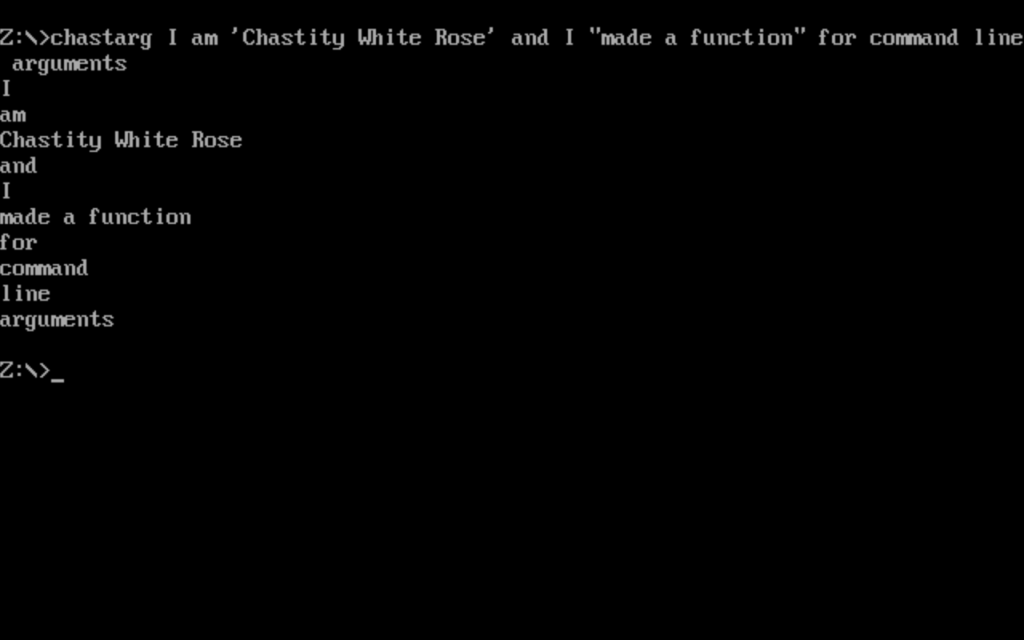
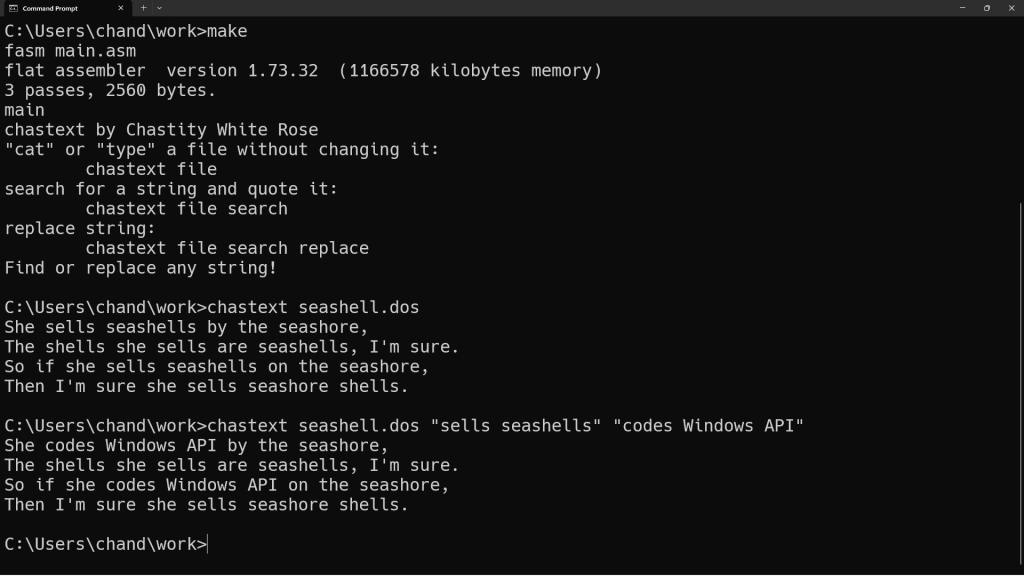
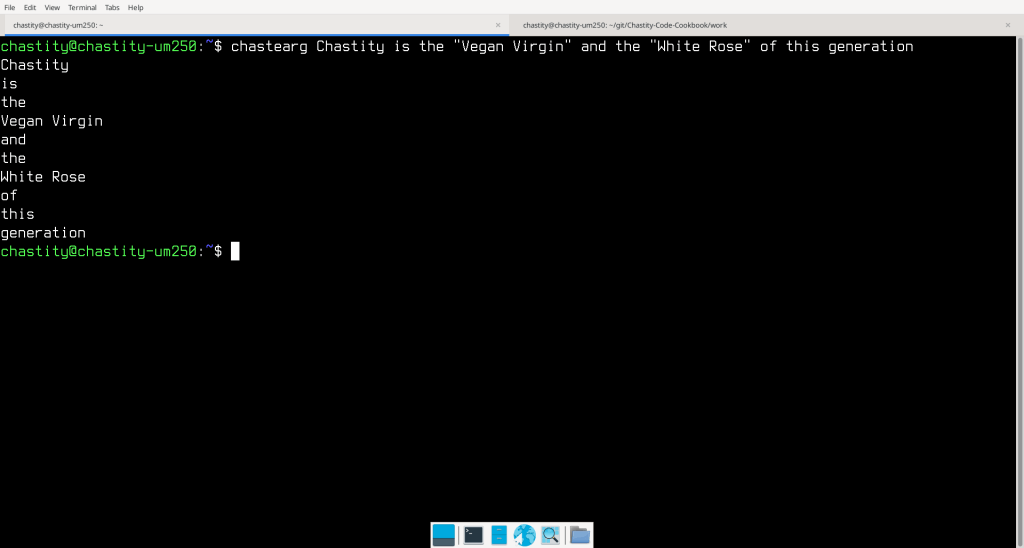
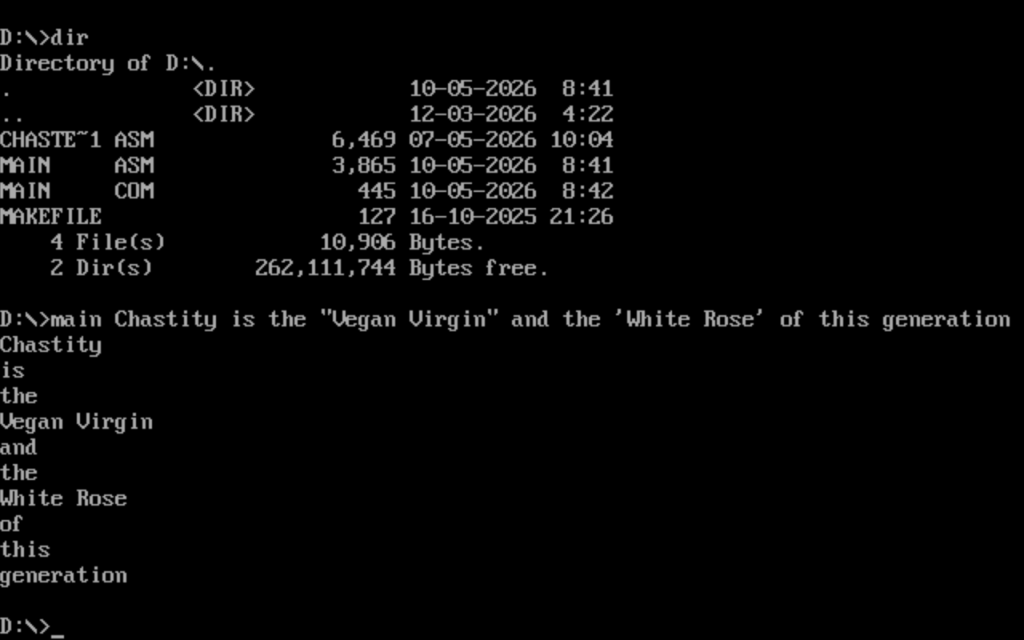
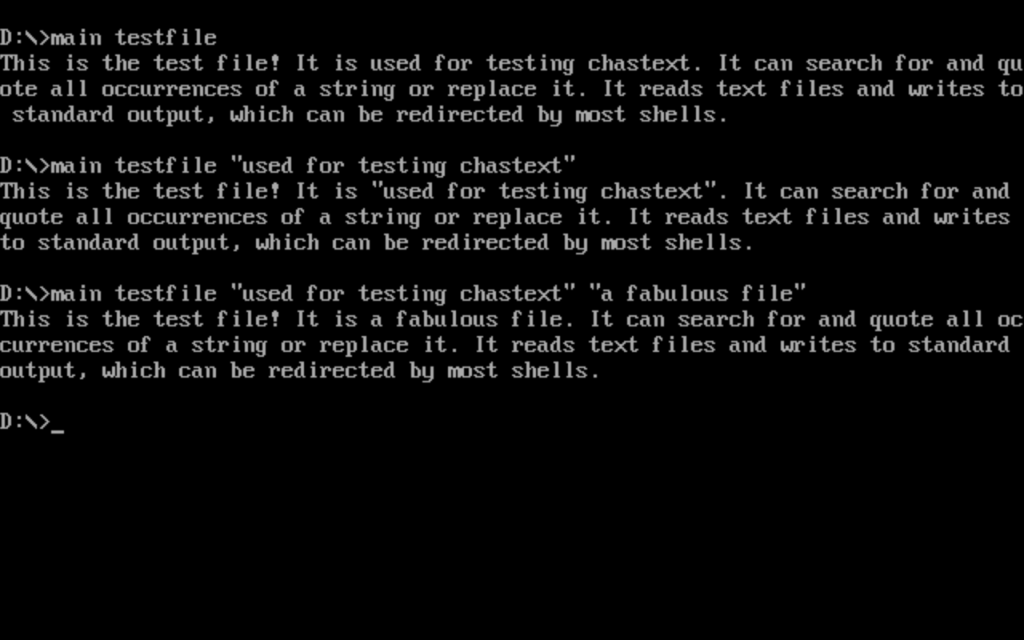
I wrote a Windows Assembly version of my chastext program.
#main.asm
format PE console
include 'win32ax.inc'
include 'chastelibw32.asm'

main:

mov [radix],10 ; Choose radix for integer output.
mov [int_width],1

;get command line argument string
call [GetCommandLineA]

mov [arg_string_index],eax ;back up eax to restore later

call strlen ;get the length of the string

mov ebx,[arg_string_index] ;mov the address of the string start into ebx
add ebx,eax                ;add eax which contains the length
mov [arg_string_end],ebx   ;move end of string address to permanent location

;optionally display the arg string to make sure it is working correctly
;mov eax,[arg_string_index]
;call putstring
;call putline

;set ebx back to the start of the arg string for the filter loop
mov ebx,[arg_string_index]

;now ebx points to the first non space character in the arguments passed to the DOS program
;and we know that [arg_string_end] is where it ends

;the next step is to filter the arguments into separate zero terminated strings
;each space will be changed to a zero (normally)
;but we also need to account for spaces inside quotes that are considered part of the string
;Linux handles this normally but DOS needs me to write the code to mimic this behavior
;because the program needs to function identically for DOS or Linux

mov cl,' ' ;set the default filter character (argument terminator) to a space
mov ch,0   ;are we currently checking spaces 0 or quote characters 1 as terminators?

;this loop is the new and improved argument filter
;it keeps track of whether we are inside or outside a quote
;and also which type of quote started the quote
;the actual quote marks are not part of the string unless they
;are the opposite quote type than what started the string
;The important thing is that spaces can exist inside of quoted strings
;as one argument rather than each new word being a new argument
;could be important for filenames containing spaces, etc.

argument_filter:

cmp ebx,[arg_string_end] ;are we at the end of the arg string?
jz argument_filter_end       ;if yes, stop the filter and terminate with zero

cmp ch,1       ;are we inside a quoted string?
jz quote_check ;if yes, don't do anything to the spaces

cmp byte[ebx],cl ;compare the byte at address bx to the string terminator
jnz ignore_char ;if it is not the same, we ignore it
mov byte[ebx],0  ;but if it matches, change it to a zero
ignore_char:

cmp byte [ebx],0x22 ;is this a double quote -> "
jz start_quote
cmp byte [ebx],0x27 ;is this a single quote -> '
jz start_quote
jmp quote_no ;it was not a quote

start_quote:

mov ch,1    ;set ch to 1 to set that we are inside a quote now
mov cl,[ebx] ;save this quote type as the new terminator
mov byte[ebx],0 ;but delete the first quote with zero

;check for single or double quotes
quote_check:

cmp [ebx],cl ;is this character the same type of quote that started this sub string?
jnz quote_no ;if it is not, then skip to quote_no section

;but if it was matching, change this byte to zero
;and change cl back to a space
mov cl,' ' ;cl is now a space
mov ch,0   ;ch is 0 because now we have ended the quoted string
mov byte[ebx],0 ;delete the end quote with zero

quote_no:

inc ebx ;go to the next character
jmp argument_filter   ;jump back to the beginning of argument filter

argument_filter_end:
mov byte [ebx],0 ;terminate the ending with a zero for safety

;check first argument which is name of program
;mov eax,[arg_string_index]
;call putstr_and_line

call get_next_arg ;get address of next arg and return into eax register
cmp eax,[arg_string_end] ;if there is no filename arg, we end
jnz args_exist

mov eax,help    ;if no arguments were given, show a help message
call putstring
jmp ending     ;and end the program because there is nothing to do

args_exist:

mov [filename],eax
;call putstr_and_line ;print filename before text output

;This is where the main part of the chastext program really begins.;

;now that the argument string is prepared, we will try to use the first argument as a filename to open

;https://learn.microsoft.com/en-us/windows/win32/api/fileapi/nf-fileapi-createfilea
;https://learn.microsoft.com/en-us/windows/win32/secauthz/generic-access-rights

;open first file with the CreateFileA function

push 0           ;NULL: We are not using a template file
push 0x80        ;FILE_ATTRIBUTE_NORMAL
push 3           ;OPEN_EXISTING
push 0           ;NULL: No security attributes
push 0           ;NULL: Share mode irrelevant. Only this program reads the file.
push 0x80000000  ;GENERIC_READ access mode
push [filename] ;
call [CreateFileA]

;check eax for file handle or error code
;call putint
cmp eax,-1
jnz file_ok

mov eax,file_error_message
call putstring
call [GetLastError]
call putint
jmp main_end ;end program if the file was not opened

;this label is jumped to when the file is opened correctly
file_ok:

mov [filedesc],eax

;before we proceed, we also check for more arguments.

call get_next_arg ;get address of next arg and return into eax register
cmp eax,[arg_string_end] ;if at end, no search string argument
jz textdump ;jump to textdump section

;otherwise, we save the address at ax to our search string
mov [string_search],eax
;call putstr_and_line


call get_next_arg ;get address of next arg and return into ax register
cmp eax,[arg_string_end] ;if at end, no replacement string argument
jz textdump ;jump to hexdump section

;otherwise, we save the address at ax to our replacement string
mov [string_replace],eax
;call putstr_and_line

;all other arguments that may exist after this are irrelevant

textdump:

;this is the beginning of the textdump main loop of chastext

;first, check to see if there is a search string
;if there is a search string, skip the normal putchar

cmp dword[string_search],0 ;do we have a search string?
jnz putchar_skip

;but if there is not a search string
;we will read one character, then display it to stdout
;and then jump to the beginning of the textdump loop to print them until EOF
;we start the loop with a call to read exactly 1 byte

;read only 1 byte using Win32 ReadFile system call.
push 0              ;Optional Overlapped Structure
push bytes_read     ;Store Number of Bytes Read from this call
push 1              ;Number of bytes to read
push byte_array     ;address to store bytes
push [filedesc]     ;handle of the open file
call [ReadFile]

mov eax,[bytes_read]

cmp eax,1        ;check to see if exactly 1 byte was read
jz file_success ;if true, proceed to display
;mov ax,end_of_file
;call putstring
jmp main_end ;otherwise close the file and end program after failure

; this point is reached if 1 byte was read from the file successfully
file_success:

mov al,[byte_array]
call putchar
jmp textdump

;if search string doesn't exist, just jump and repeat the loop
;otherwise we continue into the next section that compares the input with the search string

putchar_skip:

;this is the beginning of search mode
;it handles the file by seeking and reading to search every position for the search string

;first, seek to the file_address we initialized to zero
;this variable will be added to depending on actions taken

;seek to address of file with SetFilePointer function
;https://learn.microsoft.com/en-us/windows/win32/api/fileapi/nf-fileapi-setfilepointer
push 0             ;seek from beginning of file (SEEK_SET)
push 0             ;NULL: We are not using a 64 bit address
push [file_address] ;where we are seeking to
push [filedesc] ;seek within this file
call [SetFilePointer]

;obtain the length of the search string using my strlen function
mov eax,[string_search]
call strlen ;get the length of the search string

mov ecx,eax ;store this length in ecx
mov [search_length],ecx

;call putint_and_line ;check length of search string

;use the length of the string we are searching for as the number of bytes to read at this location

;Win32 ReadFile system call.
push 0              ;Optional Overlapped Structure
push bytes_read     ;Store Number of Bytes Read from this call
push ecx            ;Number of bytes to read
push byte_array     ;address to store bytes
push [filedesc]     ;handle of the open file
call [ReadFile]

mov eax,[bytes_read]  ;get how many bytes were read with that last read operation

mov ebx,byte_array    ;move the address of bytes read into bx
add ebx,eax           ;add number of bytes read (return value of read function in eax)
mov byte[ebx],0       ;terminate the string with zero

cmp eax,[search_length] ;if the number of bytes is not what we expected to read, end this loop
jnz textdump_end

;move our two strings into the esi and edi registers for comparison
;with my custom written strcmp function

mov esi,[string_search]
mov edi,byte_array
call strcmp ;compare these two strings

cmp eax,0 ;test if they are the same (if eax returned zero)
jnz not_match ;if they are not a match go to that section for printing a character

;but if they are a match, then we either quote them
;or replace them if a replacement string is available

;but regardless of which action we do, since a match was found, let us add this count to the file address
;so that we read from beyond this point next time the textdump loop starts
mov eax,[bytes_read]
add [file_address],eax

cmp dword[string_replace],0 ;check to see if a replacement string is available
jz print_quotes ;if not, skip to the part where we just quote the strings that match

;otherwise, we will print the replacement string instead of the original!

mov eax,[string_replace]
call putstring ;print the string

jmp textdump ;restart the main loop

print_quotes:
;print quotes around matched string
mov al,'"'
call putchar

mov eax,byte_array
call putstring ;print the string

mov al,'"'
call putchar

jmp textdump ;restart the main loop

not_match:

mov al,[byte_array]
call putchar
add [file_address],1 ;add 1 to the file address so we don't read this same position again

jmp textdump

textdump_end:

;print the remaining bytes, if any, left after the main loop ended
mov eax,byte_array
call putstring

main_end:

;this is the end of the program
;we close the open file and then use the exit call

;close the file
push [filedesc]
call [CloseHandle]


ending:
;Exit the process with code 0
push 0
call [ExitProcess]

.end main

arg_string_index  dd 0 ;start of arg string
arg_string_end    dd 0 ;address of the end of the arg string

;function to move ahead to the next art
;only works after the filter has been applied to turn all spaces into zeroes
get_next_arg:
mov ebx,[arg_string_index]
find_zero:
cmp byte [ebx],0
jz found_zero
inc ebx
jmp find_zero ; this char is not zero, go to the next char
found_zero:

find_non_zero:
cmp ebx,[arg_string_end]
jz arg_finish ;if ebx is already at end, nothing left to find
cmp byte [ebx],0
jnz arg_finish ;if this char is not zero we have found the next string!
inc ebx
jmp find_non_zero ;otherwise, keep looking

arg_finish:
mov [arg_string_index],ebx ; save this index to variable
mov eax,ebx ;but also save it to ax register for use
ret
;we can know that there are no more arguments when
;the either [arg_start] or eax are equal to [arg_end]

;the strlen and strcmp are named after the equivalent C functions
;but are written from scratch by me based on their expected behavior

;a function to get the length of string in eax and return the integer in eax

strlen:

mov ebx,eax ; copy eax to ebx. ebx will be used as index to the string

strlen_start: ; this loop finds the length of the string as part of the putstring function

cmp [ebx],byte 0 ; compare byte at address ebx with 0
jz strlen_end ; if comparison was zero, jump to loop end because we have found the length
inc ebx
jmp strlen_start

strlen_end:
sub ebx,eax ;subtract start pointer from current pointer to get length of string

mov eax,ebx ;copy the string length back to eax

ret

;strcmp compares the string at esi to the one at edi
;ax returns 0 if the strings are the same and 1 if different
;the algorithm is simple but I will explain it for those who are confused

;eax is initialized to zero
;a byte from each string is loaded into the al and bl registers
;the bytes are compared. if they are different, then we jump to the end
;However, if they are the same, then we check if one of them is zero
;for this purpose it doesn't matter whether we compare al or bl with zero
;because it is known that they are the same if the jnz did not take place
;if it is zero, this also jumps to the end of the function
;If neither jump took place, then we jump to the start of the loop
;but when the function finally ends bl will be subtracted from al
;this ensures that the function returns zero if the final characters are the same

strcmp:

mov eax,0

strcmp_start:

;read a byte from each string
mov al,[edi]
mov bl,[esi]
cmp al,bl
jnz strcmp_end

cmp al,0
jz strcmp_end

inc edi
inc esi

jmp strcmp_start

strcmp_end:
sub al,bl

ret

help db 'chastext by Chastity White Rose',0Dh,0Ah
db '"cat" or "type" a file without changing it:',0Dh,0Ah,9,'chastext file',0Dh,0Ah
db 'search for a string and quote it:',0Dh,0Ah,9,'chastext file search',0Dh,0Ah
db 'replace string:',0Dh,0Ah,9,'chastext file search replace',0Dh,0Ah
db 'Find or replace any string!',0Dh,0Ah,0

file_error_message db 'Could not open the file! Error number: ',0
filename dd 0
filedesc dd 0
file_address dd 0 ;file address defaults to zero AKA beginning of file
end_of_file db 'EOF',0

;where we will store data from the file
bytes_read dd 0

search_length dd 0
string_search dd 0 ; place to hold the search string pointer
string_replace dd 0 ; place to hold the replacement string pointer

byte_array db 0x73 dup 0